Amazon 728 X 90

Showing posts with label 1080p. Show all posts

Wednesday, April 25, 2012

Reduce Outrageous Monthly Satellite TV Expense


When can I get rid of my outrageous Satellite TV bill? TV is free, so why are we paying so much?

I am currently paying over $110.00 per month for DIRECTV.  This includes 4 DVR’s,  HD content without any movie channels like HBO.  As a result of economic conditions I am continually looking for ways to reduce expenses.  This has prompted me to keep an eye on current and upcoming technologies that will allow me to reduce expenses.  I am looking for a solution that will allow me to keep most of the features and capabilities as my DIRECTV service offers.  I can’t live without my DVR.  The DVR is the best invention since sliced bread.

It seems like people have forgotten that TV is free.  With an inexpensive off air antenna you can receive local channels in HD which I have found recently includes many more channels than you might expect.  All your prime-time favorites like CBS, NBC, FOX, ABC and many more are available for free.  You can even see a Guide that will tell you what is playing on each channel.  What is missing is the ability to record, pause and rewind and best of all subscribe to a season pass.

Option #1:

The closest option for replacing DIRECTV and keeping the features I love is “TiVo” using the free Off Air TV signal (supported on TiVo Premiere & Premiere XL but not Premiere XL4).  Switching has some upfront costs especially when replacing 4 DVR’s.

To go the TiVo route here is the low down on costs.

Costs for 4 TiVo Premiere receivers with multi-service discount:

DVR's
Monthly
Total Monthly
1st year
$149.00ea
$12.99
$101.63
2nd year+

$9.95
$39.80

Costs for 4 TiVo Premiere XL receivers with multi-service discount:

DVR's
Monthly
Total Monthly
1st year
$249.00ea
$12.99
$134.96
2nd year+

$9.95
$39.80

What you will be missing:

Unless you pay for Cable in addition to the fees mentioned above, then say good bye to Discovery Channel, Nickelodeon, DIY network, ESPN etc.  The grass isn't always greener on the other side.   I am hesitant to switch although this option is looking increasingly attractive.

Option #2:

What about all the other streaming options where you use your internet connection along with a subscription service to watch TV and movies on demand?

Apple TV and PS3/Netflix users are the only ones that offer HD 1080p content.  Read the fine print.  If they say they offer HD content you are most likely only getting 720p.

There is also Amazon Instant Video, hulu, and Netflix.  Did I miss any?  Here is a good comparison post I came across.  How they stack up.

Show stoppers:

No access to popular prime-time TV shows.
I would need 4 devices, one for each TV.
No DVR for recording live TV and sports from off air signals.

More info coming soon….

Tuesday, April 24, 2012

Future Technologies - I Can't Wait!


  1. iPhone/iPad fling transmitter - Lets cut the cord please
  2. Control on iPhone/iPad from your PC without Jailbreaking
  3. DVD’s a thing of the past?  Details forthcoming.
  4. Near Field Communication
  5. Why are we paying so much to watch TV?  Solutions to keep an eye on:
    1. Free over the Air TV with TIVO
    2. Netflix, HULU, Apple TV, Amazon, Roku
    3. HDMI over Air
    4. in order to get HD quality signal transferred to your HDTV, both the transmitter and receiver need to be plugged into the same circuit. In other words, both plugs need to be connected to the same breaker in your fuse box.
    5. RF TV Remote
    6. Near Field Communication
Details to Follow....

Saturday, March 31, 2012

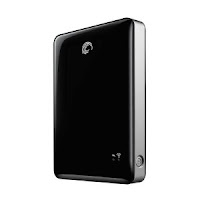
New Apple iPad plays 1080p HD movies - 500GB Seagate GoFlex Wireless Drive


My 7 year older daughter was always complaining about her portable DVD player.  The DVD's are scratched and her selection is dwindling.  I really wanted to replace the DVD player with newer technology.  I know that DVD's are going the way of the 8 track Tape which is fine by me.  I started to think about all the reasons the family could use an iPad or similar tablet style device.  We have a lot of movies stored on a portable USB drive, so I figured I could just hook it up to the pad and watch movie.  Not so easy if you buy the iPad.

I researched how I could watch them via an iPad on the road.  If I couldn't find a way then I wasn't sure I could justify buying the iPad.  The iPad comes in 16, 32 or 64GB sizes none of which are enough to suite my needs.  One movie alone can take up 8GB.  Sure, you could shrink them, but I am picky when it comes to picture quality.  You still need room for apps, photo's and music.

I read it may be possible to connect a USB device using the apple Camera kit, but it wasn't clear enough to me that it would work.  I eventually found out about the Seagate GoFlex Satellite drive and was convinced to give it a try.  The GoFlex drive runs on a rechargeable battery and creates a Wi-Fi hotspot allowing the iPad to connect to it wirelessly.  We bought the new 3rd generation iPad and the GoFlex and I am happy to say the combination works very well.  If your movies are stored in 1080p you will be amazed with the picture quality on the retina display.

How it works(short version):

  1. Upload movies to a folder on the GoFlex Satellite drive
  2. Unplug GoFlex Satellite drive from the USB port on the computer - (Required before the Wi-Fi signal will activate)
  3. Turn on the GoFlex Satellite drive and wait a few moments until both lights are solid green.
  4. On your iPhone/iPad go to "Settings" then "Wi-Fi" and connect to the "GoFlex Satellite" Network.  Should see a blue light flickering now on the drive.
  5. Using the free iPhone App called "GoFlex Media", open it and watch movies, view photo slideshows, listen to music and view documents.
It's that simple once you are all setup. My 7 year old is a pro after just a couple times using it.


But wait:  It wasn't simple at 1st.  Don't worry.  I have resolved my issues and I thought I would pass on my knowledge to help improve the success of others.  Problem is the iPad will only play certain video formats.  Supported formats: H.264 video up to 1080p, 30 frames per second, .m4v, .mp4, and .mov.  More details found on their web site (http://www.apple.com/ipad/specs/).  These format limitations can be worked around in some cases which I will explain later.

The Seagate GoFlex Satellite drive comes with a Free iPhone App (GoFlex Media) which will play the iPad supported formats.  Formats that I tried and confirmed do not work are m2ts, mkv, avi, mpg and others I presume.  I found only a small percentage of my movies were in a format that could be played through GoFlex Satellite.  I anticipated this and was confident there was a solution out there.  This is where I spent a lot of time trying to make things work.  To speed things up for you I recommend the free Handbrake Video Conversion software.  I had issues with it at first so I will hopefully save you some time with some settings which I will explain later(See Bonus section below "Air Playit"). 


Handbrake settings and instructions for converting unsupported movie formats:
  1. Download and install the free Handbrake Video Conversion software. 
  2. In HandBrake, select the Source button and pick the video you want to convert.
  3. Under "Presets" select "Regular" then "High Profile" if you want the highest possible quality.
  4. I recommend you set a desired Default path so that you will know where the new converted movie file will be located.  To accomplish this go to "Tools" then "Options" then "Output Files" and
Remember that the quality of the output is dependent on the quality of the source file.  Here is a screen print showing the settings.


Other key points:
Make sure to install the latest firmware which improves on battery life and will allow you to connect to the internet while connected to the GOFlex Wi-Fi connection.
The when the Seagate GoFlex Satellite drive is connected to your computer via the supplied USB cable the battery will automatically recharge.  It also comes with a 12volt and 120volt cord for recharging.


Bonus:
The GoFlex system will work great when you are on the road, but when you are at home on your wireless network you will prefer to use "Air Playit" (http://www.airplayit.com/).  The big advantage is it's ability to play many more video formats.  No need to convert your movies.  I haven't found a format it would play yet.  Additionally you don't need to connect to the GoFlex Wireless network which is an extra step.
You will find the free app in the App store.
Requires a PC version of Air Playit to be running on your computer.
I think Apple has something similar as well but I have not tried it.